Disclaimer: This tutorial is intended for experienced professionals and made available to you for informational purposes only. Tampering with your camera will void your manufacturer’s warranty. If you decide to perform the conversion you could damage your camera or be hurt or get killed from the high voltage present – you do so at your own risk, we are not responsible for camera damage or any harm you may suffer or any special or consequential damages. Also, by visiting this site you are legally bound by our Terms of Use Agreement, we highly recommend you read it.
Focus Warning: Because of the complexity and requirement for specialized precision equipment, advanced training and experience, we do not provide any information regarding focus calibration whatsoever.
The mere act of removing the sensor from within the camera could potentially ruin the original factory calibration and render your camera completely incapable of achieving proper focus. If this happens we will be unable to help you and even the manufacturer may refuse to service your camera. This is very serious stuff folks.
Focus and dust are in fact the most difficult parts of the conversion process. We highly recommend you send your camera in for conversion instead of attempting to do this yourself.
You will need these tools & supplies to follow the D50 infrared conversion tutorial:
– Our custom glass infrared filter to replace the hotmirror
– Soldering iron and desoldering wick or desoldering gun
– Small philips type screwdriver
– Tweezers
– Canned air
– Lens cleaning solution & tissue
– Grounding strap /w current limit resistor
If you prefer not to risk damage to your camera, have us convert it to infrared for you. It would be best to perform the conversion in a well lit area that is as clean and dust free as possible. Wearing a grounding strap will minimize the chance of zapping your camera with static and most likely rendering it dead.
Remove marked screws.
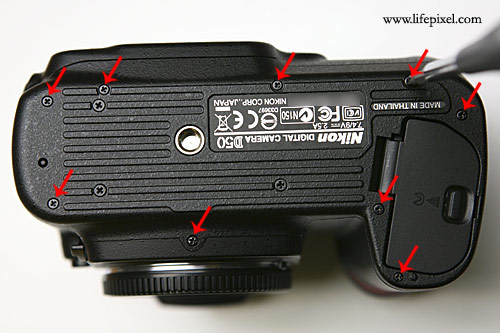
Nikon D50 Infrared DIY Tutorial Image 1
Remove the bottom plate.
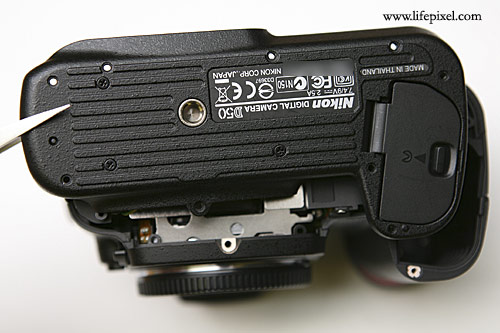
Nikon D50 Infrared DIY Tutorial Image 2
Remove the rubber eye cup.
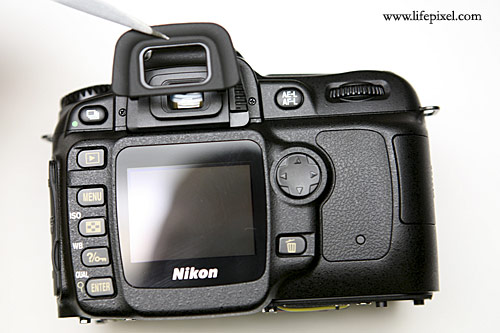
Nikon D50 Infrared DIY Tutorial Image 3
Remove marked screws.
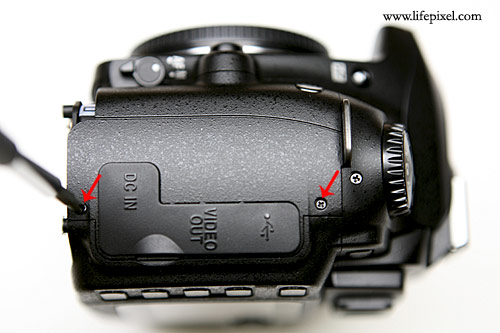
Nikon D50 Infrared DIY Tutorial Image 4
Remove marked screws.
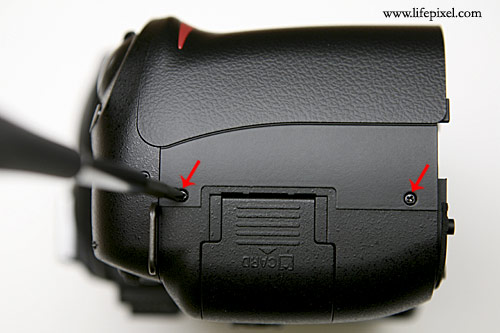
Nikon D50 Infrared DIY Tutorial Image 5
Lift up the rear LCD panel and disconnect the marked cable.
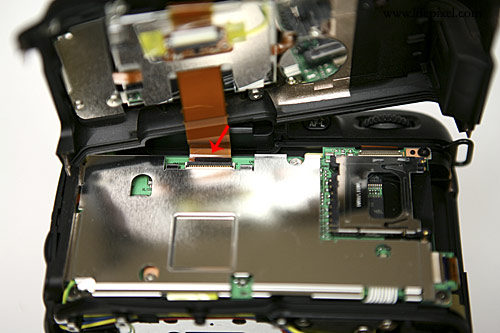
Nikon D50 Infrared DIY Tutorial Image 6
Remove marked screw.
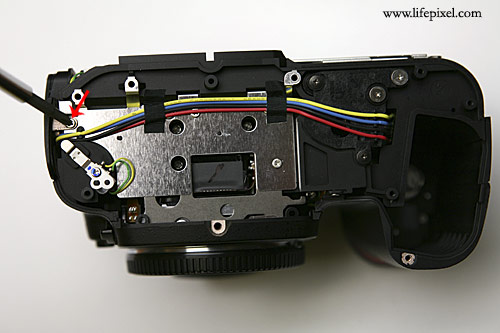
Nikon D50 Infrared DIY Tutorial Image 7
Remove the I/O cover.
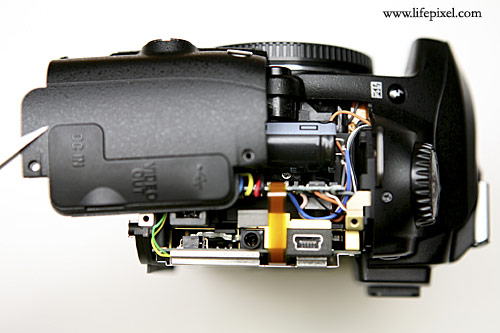
Nikon D50 Infrared DIY Tutorial Image 8
Desolder marked solder joint.
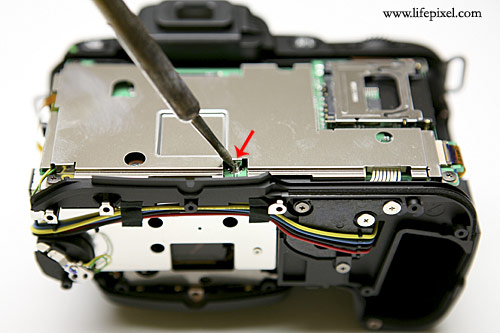
Nikon D50 Infrared DIY Tutorial Image 9
Desolder marked solder joint.
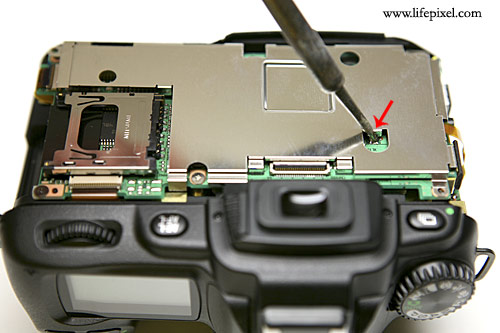
Nikon D50 Infrared DIY Tutorial Image 10
Remove marked screws.
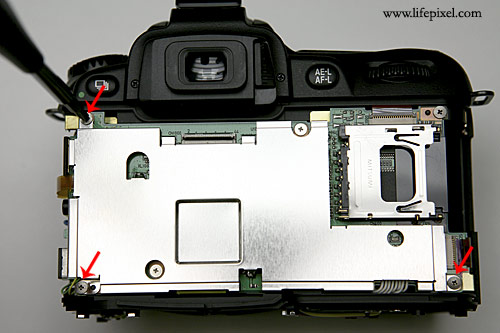
Nikon D50 Infrared DIY Tutorial Image 11
Lift out the metal noise shield.
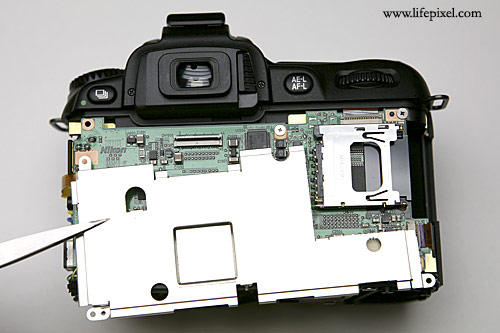
Nikon D50 Infrared DIY Tutorial Image 12
Remove marked screws (red arrows), disconnect marked cables (blue arrows). Flip over the pcb to the left. Be careful not to damage the soldered wires marked with green a arrow.
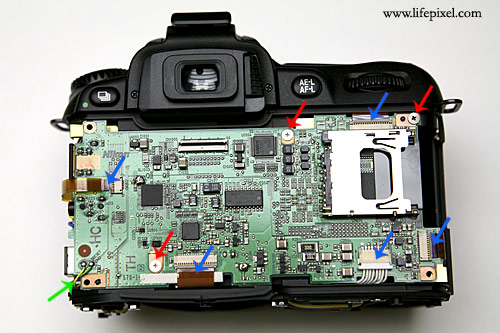
Nikon D50 Infrared DIY Tutorial Image 13
Remove marked screws and lift out the sensor assembly.
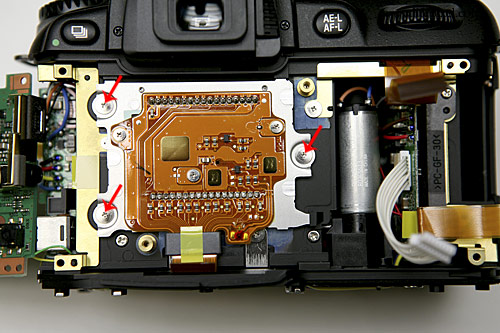
Nikon D50 Infrared DIY Tutorial Image 14
Remove marked screws.
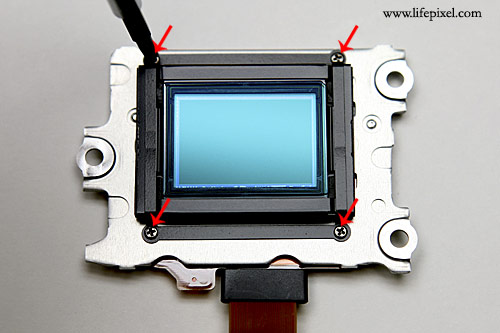
Nikon D50 Infrared DIY Tutorial Image 15
Lift out the hot mirror spring.
Nikon D50 Infrared DIY Tutorial Image 15
Lift out the hot mirror spring.
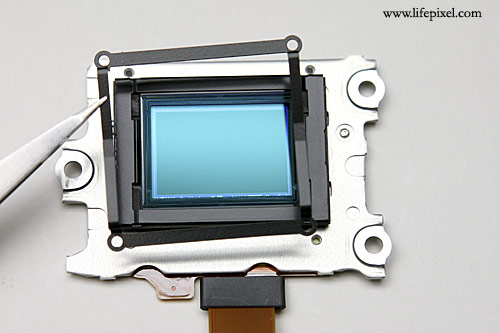
Nikon D50 Infrared DIY Tutorial Image 16
Lift out the hot mirror retainer frame.
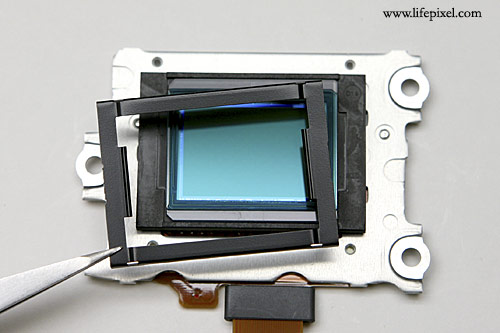
Nikon D50 Infrared DIY Tutorial Image 17
Take the glass infrared filter out of the packaging and remove any dust present by gently cleaning with lens tissue and solution and blowing with canned air, repeat until all traces of dust are gone. Very carefully lift out the hotmirror filter & set aside on a clean lens tissue. As soon as the hotmirror filter is removed immediately replace it with the infrared filter to avoid any dust settling on the sensor.
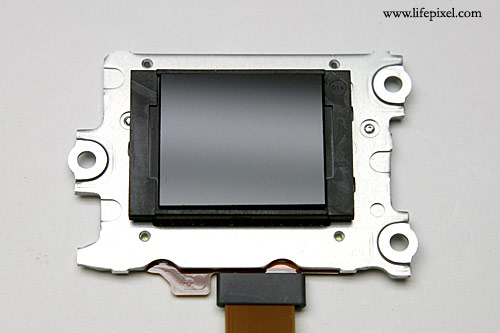
Nikon D50 Infrared DIY Tutorial Image 18
Now reassemble everything by following the instructions backwards. Set a custom white balance per our instructions page and take some test shots to make sure there is no dust trapped between the sensor and infrared filter. If you find dust and find it objectionable disassemble the camera again, blow off the sensor with canned air (make sure only air and no liquid is coming out by purging and holding it upright) and re cleaning the infrared filter.
If you prefer not to risk damage to your camera, have us convert it for you here.
